From boring to exciting:
learn new words daily
Part I - UX Side
Project Background and Stakeholder Insights
Januka, a Sri Lankan now living in France, noticed a common challenge among fellow Sri Lankan students: learning French vocabulary was tough—and often frustrating. The existing apps were scattered in purpose. Some focused on simple word banks, others on memory games, but none offered a complete, engaging experience. Januka imagined something better—a single app designed especially for these students, combining vocabulary practice, space-filling games, and even crossword-style challenges. Most importantly, he wanted students to track their own progress through a simple, motivating dashboard. That’s where our journey began.
After hearing the PO’s story, we started to picture the real challenges behind the idea. It gave us a glimpse into the kind of project this could become—and more importantly, the direction we might take to solve the problem. Step by step, the story helped us shape a path forward, guided by real needs and real people.
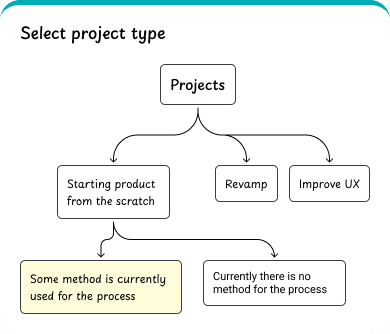
After understanding the Product Owner’s story, the project type became crystal clear. So I followed my own UX process — shaped by what I’ve learned, practiced, and loved — and I’ll walk you through it step by step.
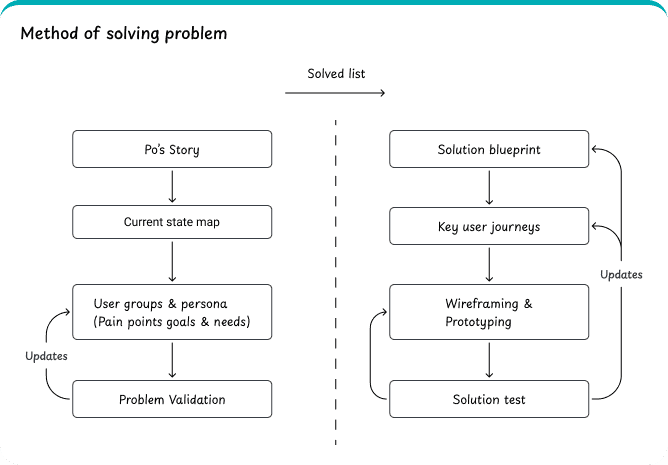
With those insights, I crafted a simple user flow to visualize how users would interact with the product.
It outlines their journey step by step, helping to keep both the real problem — and the user's experience — at the center of every decision.
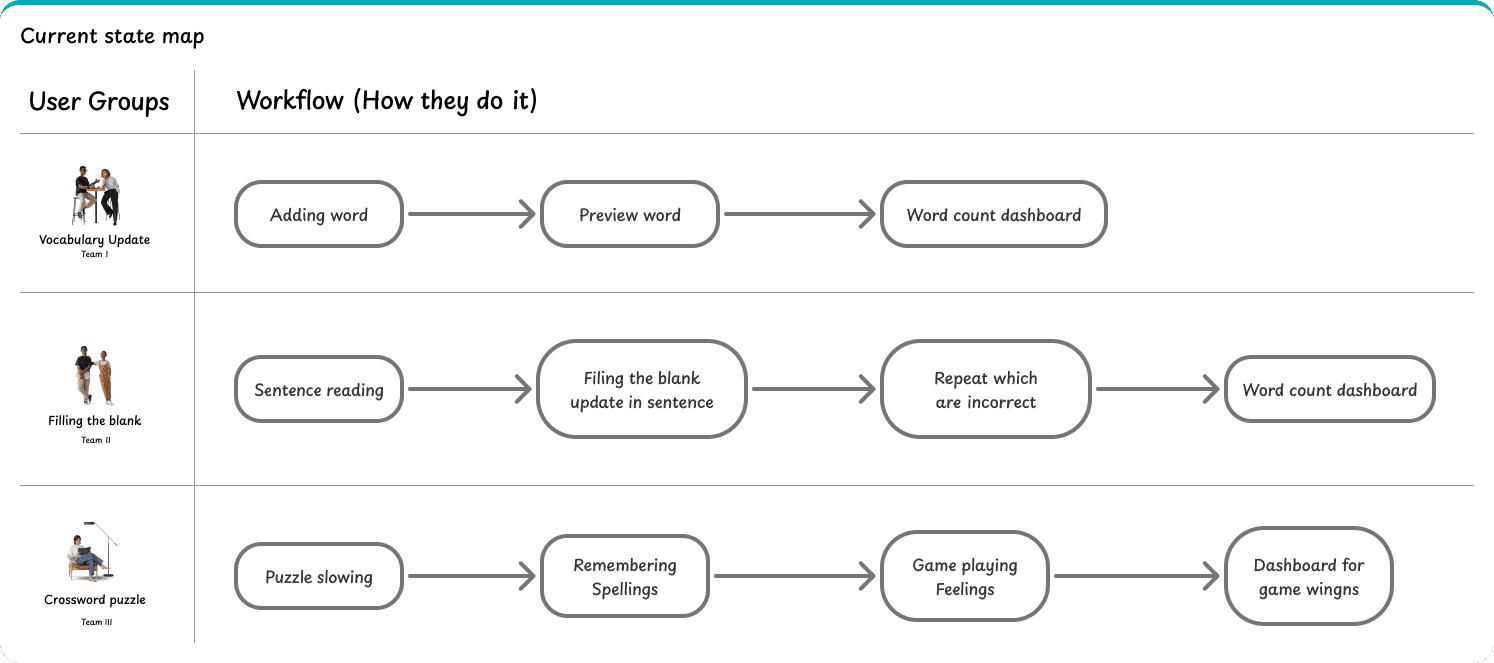
In this, I identified three user groups in the current state map. From this, I was able to analyze their behavior and understand how they are working.
I identified three key user personas, each representing a unique user group with different goals, needs, and behaviors.
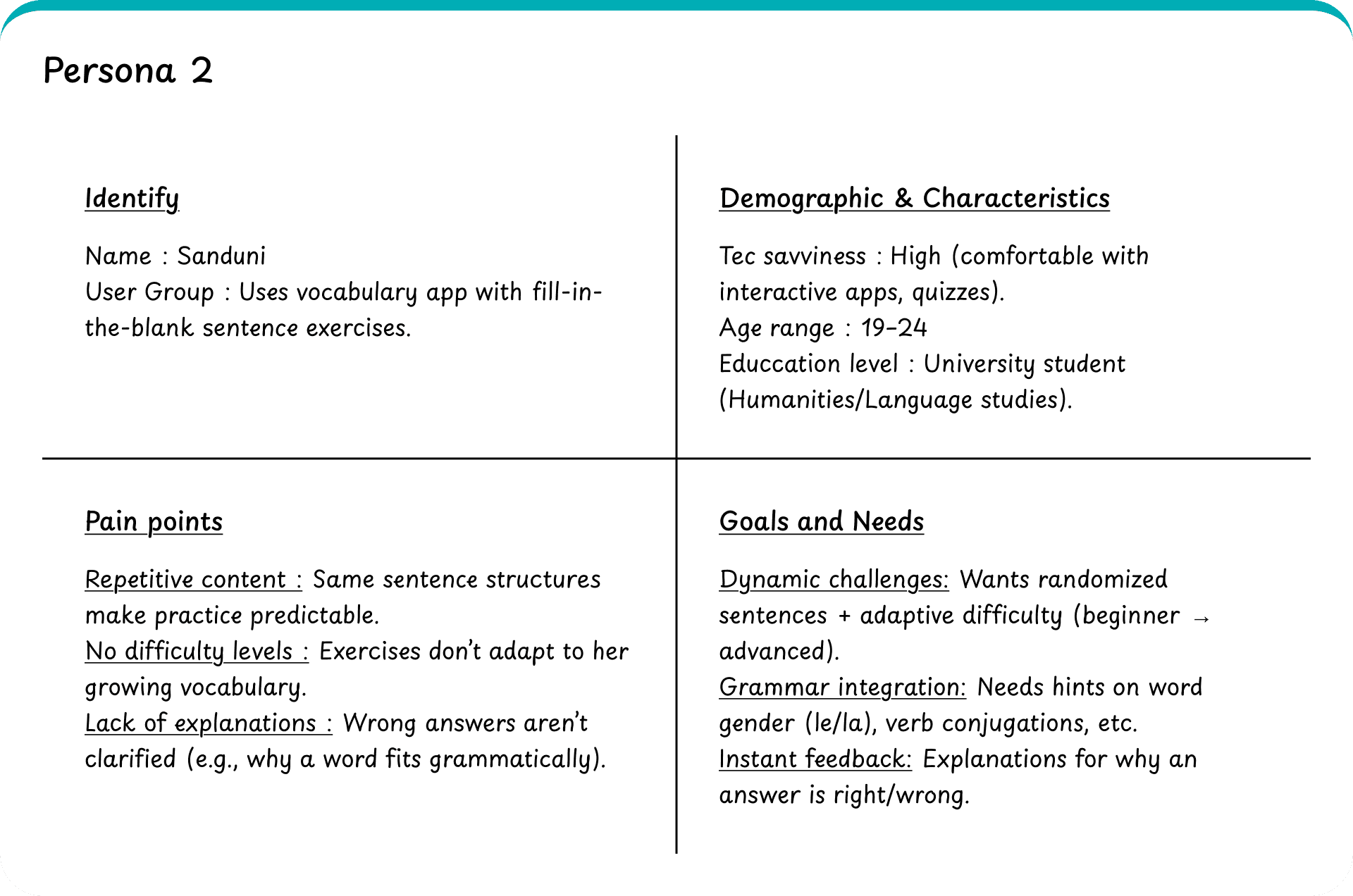
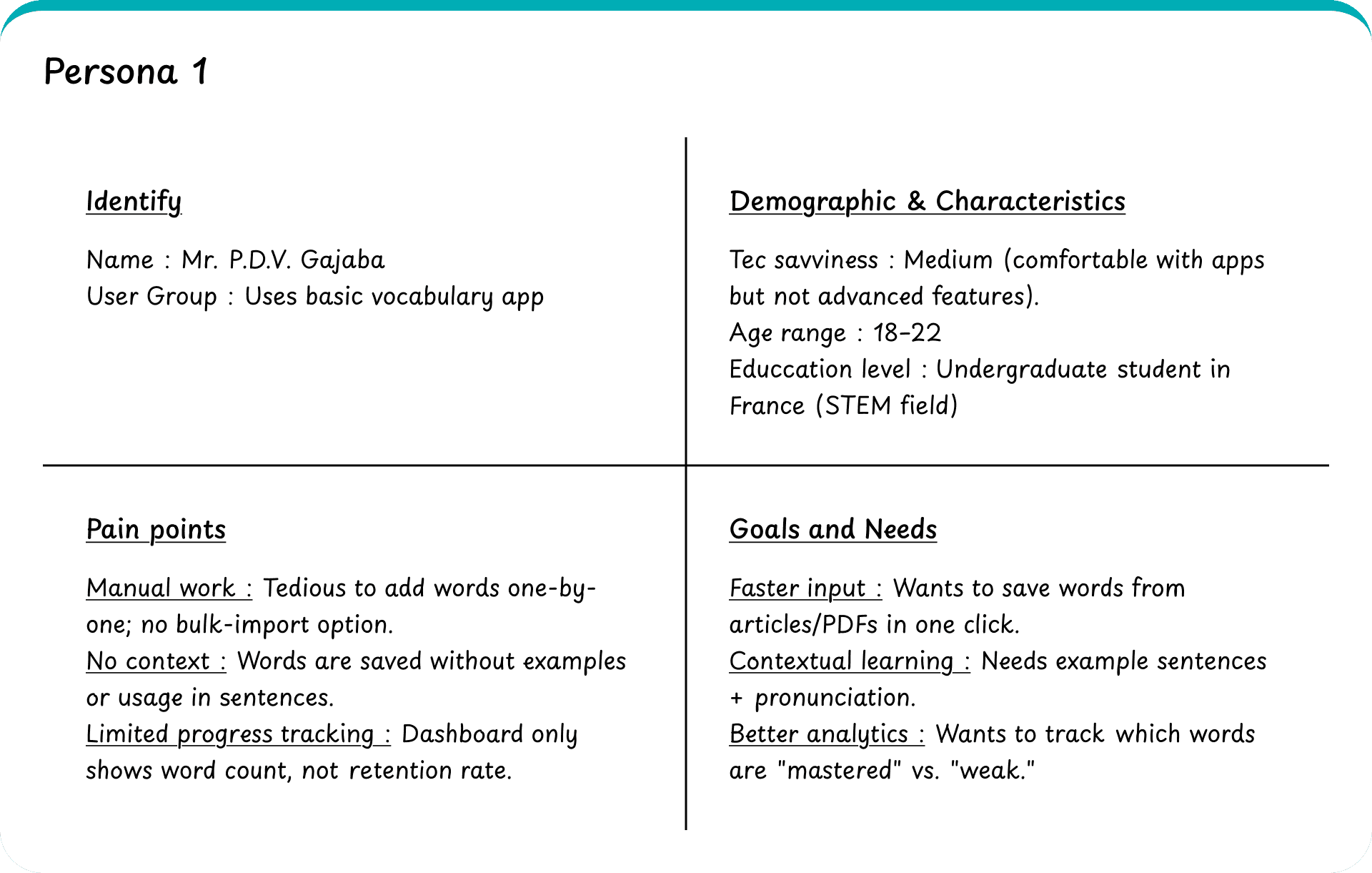
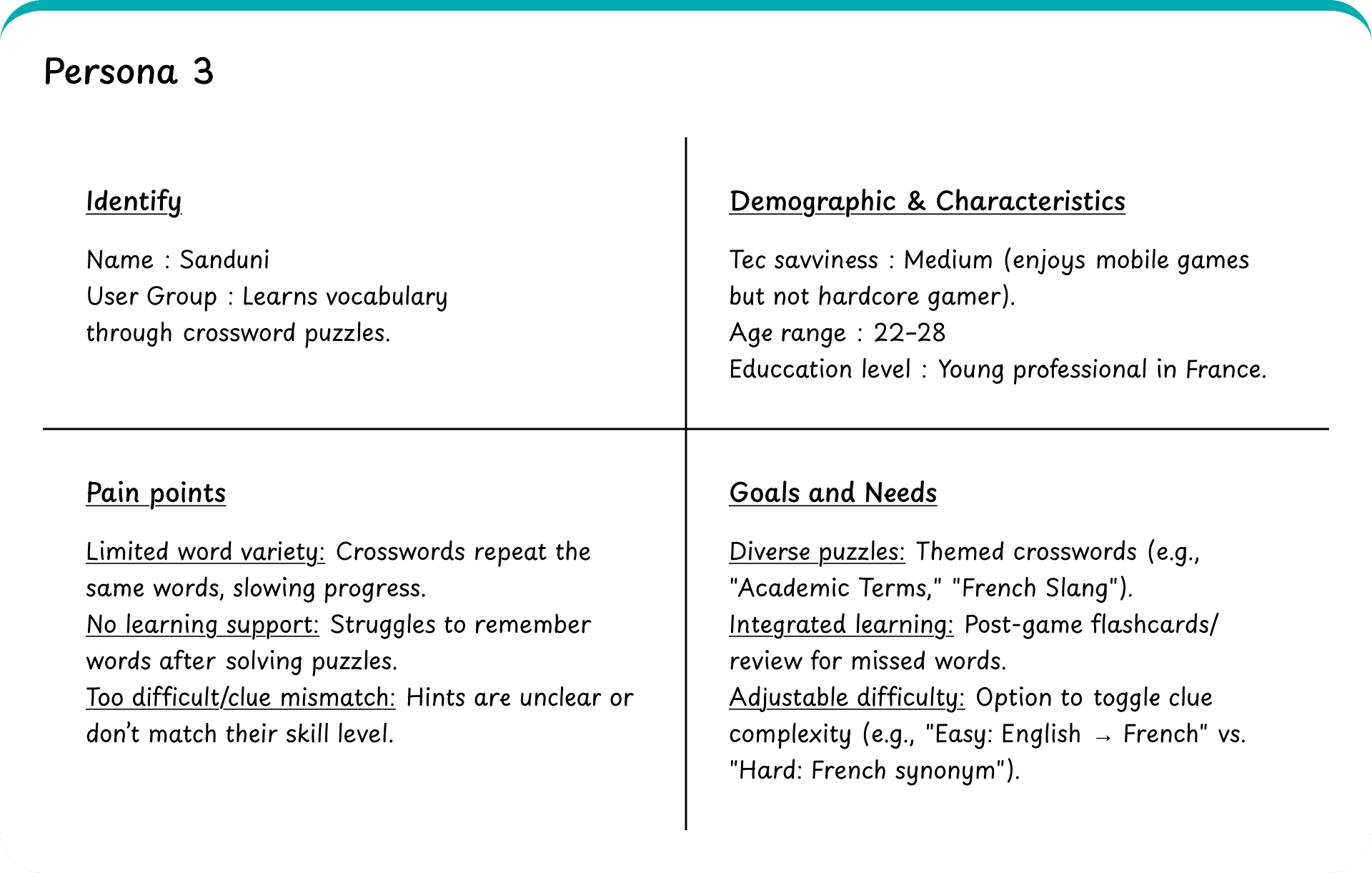
In this project, I skipped the problem validation step because the end users were not physically reachable. Therefore, I had to rely on the Product Owner’s insights and trust their perspective.
In addition, I created a problem-solving list for each user group, and as a team we planned which problems we would address and which ones we would not.
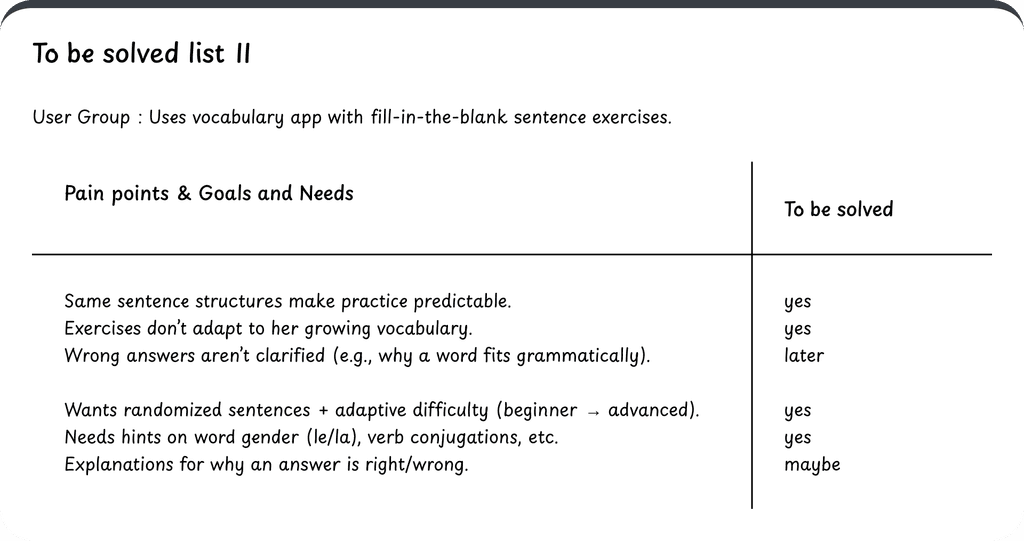
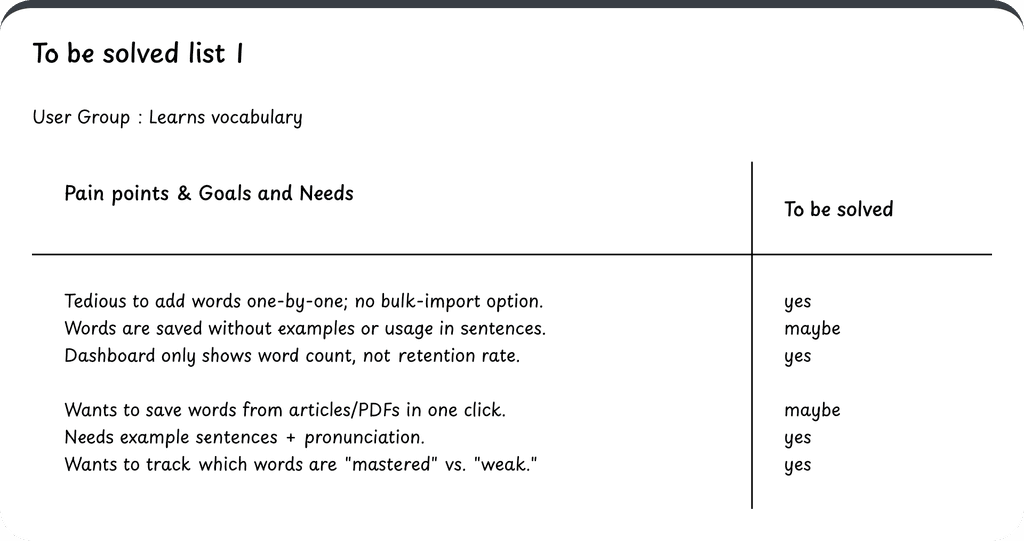
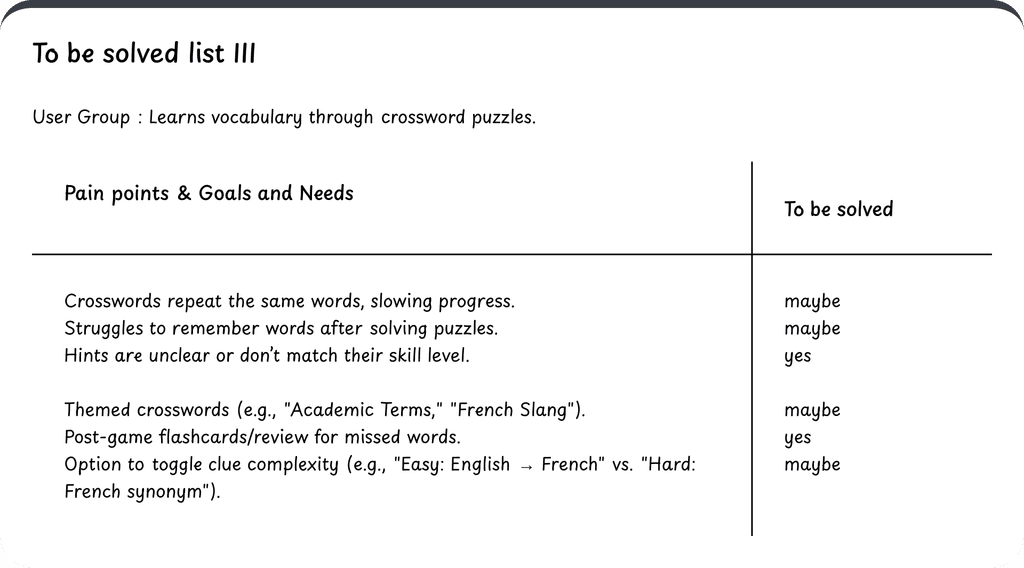
After identifying what each user truly needs, I mapped out individual user journeys for each persona.
These journeys highlight how different users move through the product—and where we can solve their specific problems.
Here’s a look at the journeys I created.
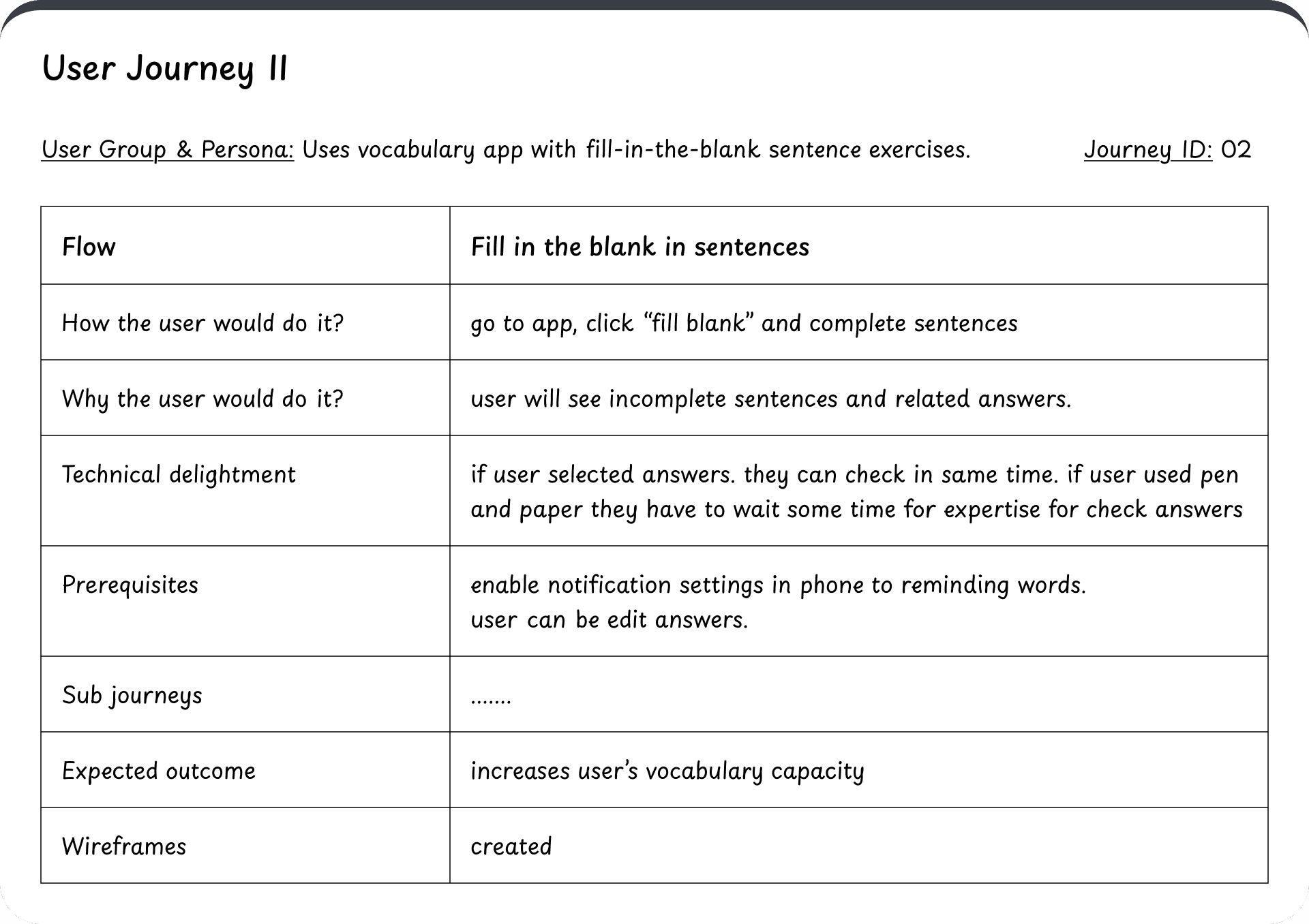
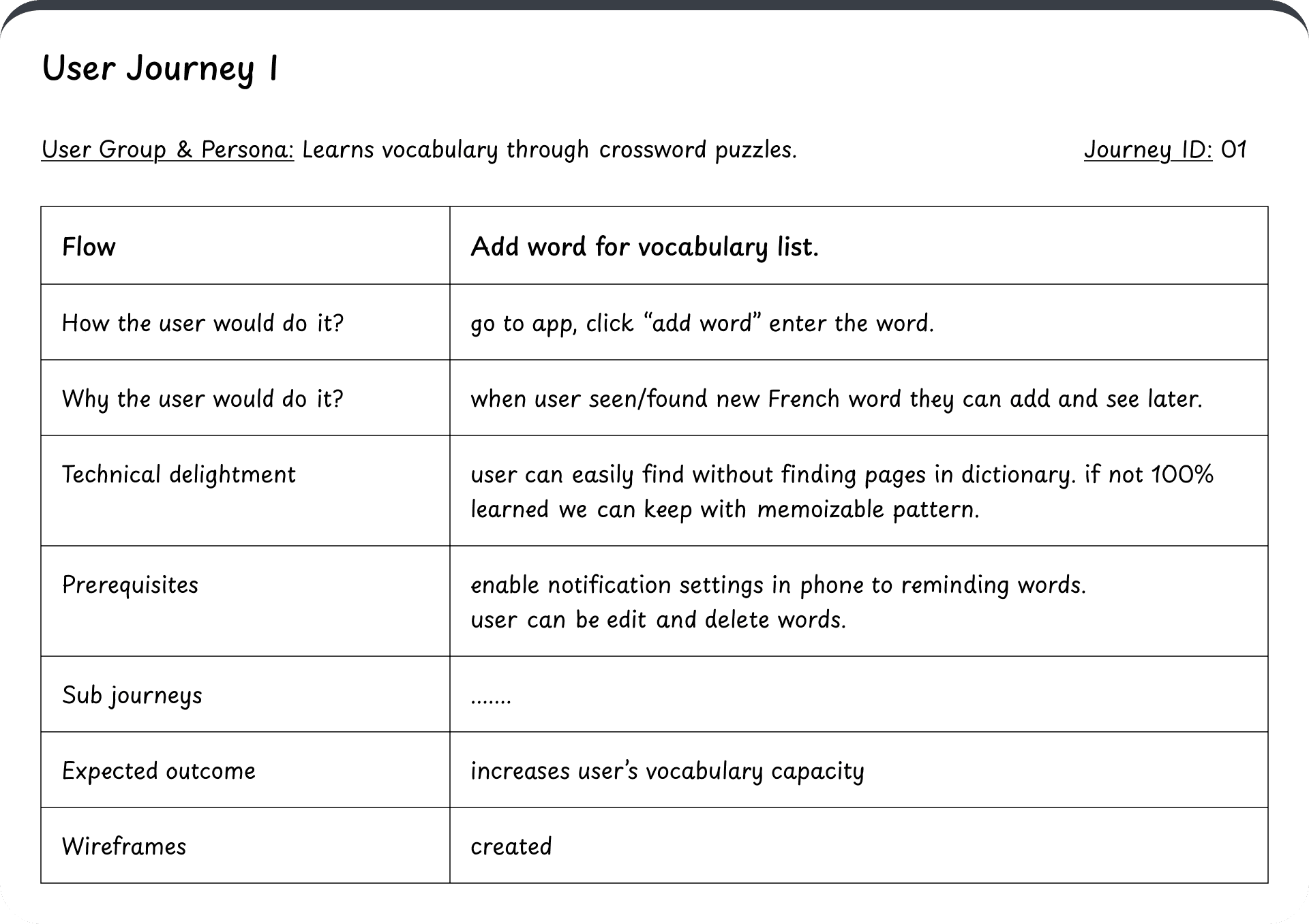
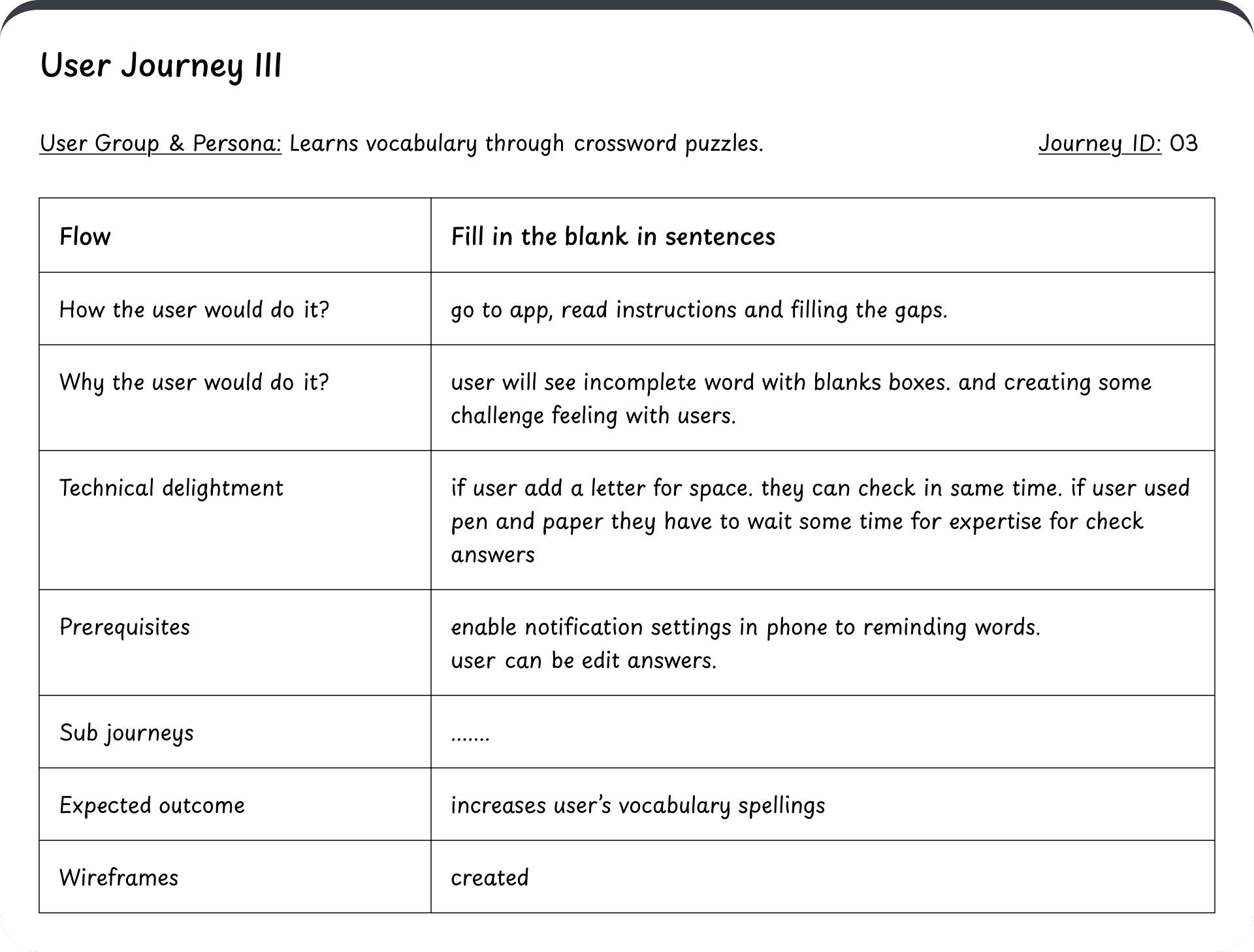
Once I had these insights, I discussed them with the Product Owners to align everything with the project scope. After that, I created low-fidelity wireframes — exploring 2 to 3 different variations.Together, we finalized the most fitting version.
Here are some highlighted screens from that process.
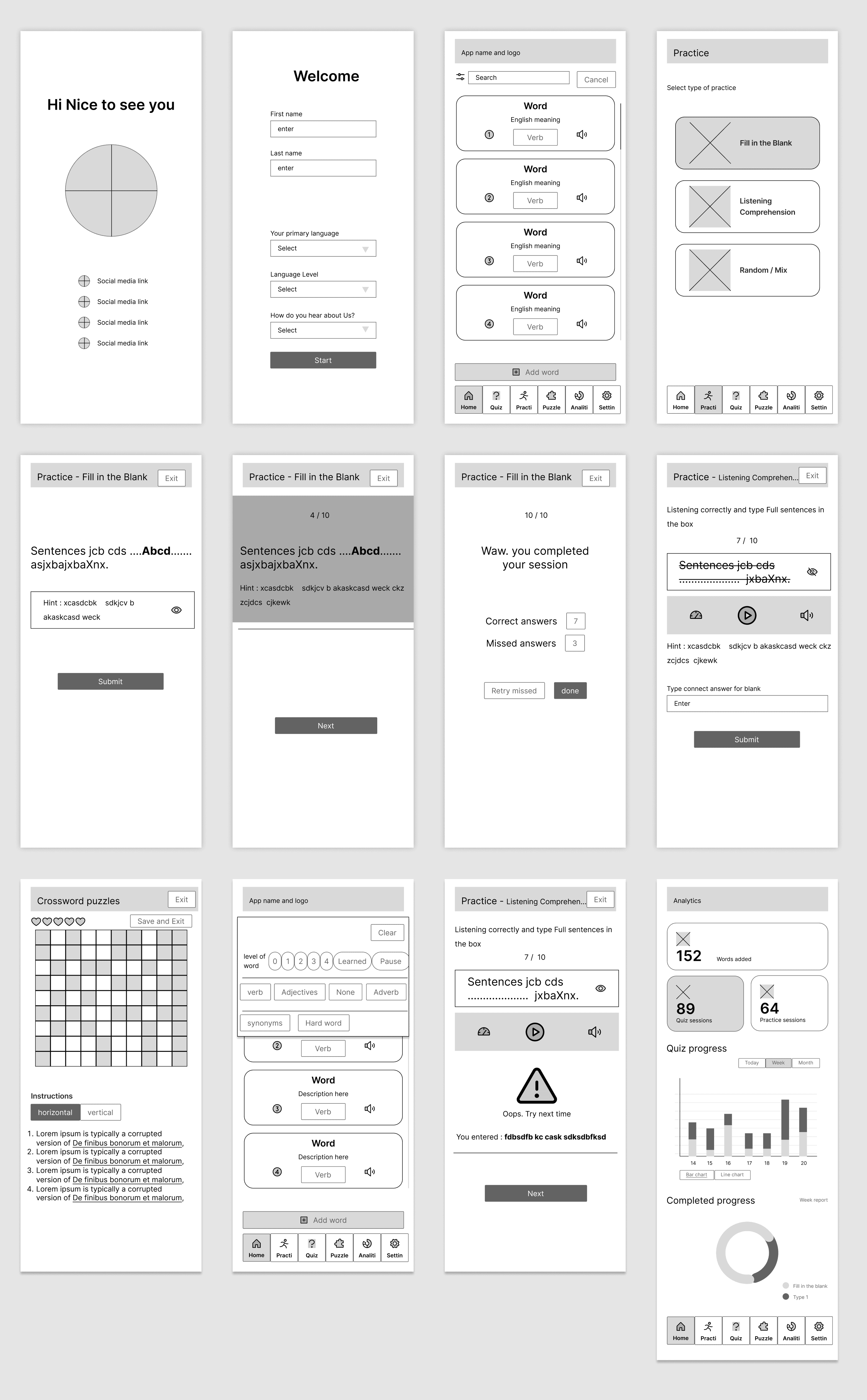
Here I’ve included only a few sample wireframes, but I can provide the full set if needed. These wireframes covered all the essential screens, and the Product Owners were happy with the direction. That gave us the green light to move into the UI design phase.
I’ll wrap up this use case here for now, but the final UI designs will be shared in Part 2. Thanks for following along — to be continued... 👀✨